LinkedIn Lead Generation: Catch B2B Buyers the Moment They Ask for Your Solution
Every day, B2B buyers post things like "looking for a CRM that handles X" or "does anyone recommend a good tool for Y?" on LinkedIn. These are warm leads sitting in plain sight. Nobody is responding because nobody is watching.
LinkedIn monitoring for sales is about closing that gap. Instead of cold emailing 500 people who never asked for your help, you respond to the five people who literally raised their hand in public. This page explains how it works, which keywords to track, and how to turn LinkedIn posts into paying customers.
LinkedIn: Where B2B Buyers Post "We Need a Solution" in Public (and Nobody Responds)
LinkedIn has over one billion members, and more than 65 million of them are decision-makers. These are VPs, founders, procurement leads, and operations directors. They use LinkedIn to ask their network for help. They post about the software they are struggling with. They ask which vendor to use. They announce they are switching tools.
Why buying-intent posts go unnoticed
LinkedIn's feed algorithm prioritizes engagement. A post asking "anyone know a good project management tool for a team of 30?" gets buried in hours. The people who could genuinely help never see it. Your competitor does not see it either. The buyer posts and waits, often getting no useful reply at all.
That is the opportunity. If you are monitoring LinkedIn for keywords related to your product or service, you see the post the moment it goes live. You reply first, you reply helpfully, and you close the deal before anyone else shows up.
What types of LinkedIn posts signal buying intent
Not every post is a lead. These are the ones worth tracking:
- Recommendation requests: "Can anyone recommend a good X?" or "Looking for tool recommendations for Y"
- Frustration vents: "We have been using and it is not working for us anymore. Any alternatives?"
- Migration announcements: "We are moving away from X. What are people using instead?"
- RFI-style posts: "We are evaluating options for Z. What should we know before choosing?"
- Role-based needs: "Just started a new Head of Marketing role. What tools does everyone use for analytics?"
Each of these is a warm lead. The buyer has already decided they have a problem. They are looking for a solution. The only question is whether you show up in the conversation.
The Best LinkedIn Keywords for Lead Generation (By Industry and Role)
The most effective keywords for linkedin lead monitoring are phrases buyers actually type when they need help. These fall into three buckets: problem phrases, category phrases, and competitor phrases. Here is a breakdown by industry and role.
SaaS and software keywords
If you sell software, track keywords your buyers use when describing pain or switching intent:
- "looking for a tool" (e.g., "looking for a CRM tool", "looking for a scheduling tool")
- "recommend a software"
- "switching from "
- "alternative to "
- "best tool for "
Consulting and services keywords
For consultants and agencies, the language is less about tools and more about expertise:
- "looking for a consultant"
- "anyone recommend a good agency"
- "need help with "
- "we are hiring a or outsourcing if we find the right partner"
- "does anyone know a freelancer who does "
Keywords by role and seniority
LinkedIn posts by decision-makers often include role context. Combine role signals with need signals for the highest-quality leads:
- "just joined as and looking for..."
- "new to this role, what do you use?"
- "team of people, need something for..."
- "budget approved for , evaluating options for..."
Start with 5 to 10 keywords and add more as you learn which ones produce the best leads. When you monitor LinkedIn mentions of your category or competitor names alongside buying-intent phrases, you catch the full range of ready-to-buy signals across the platform, not just from your existing connections.
How LinkedIn Lead Alerts Work Without a Sales Navigator Subscription
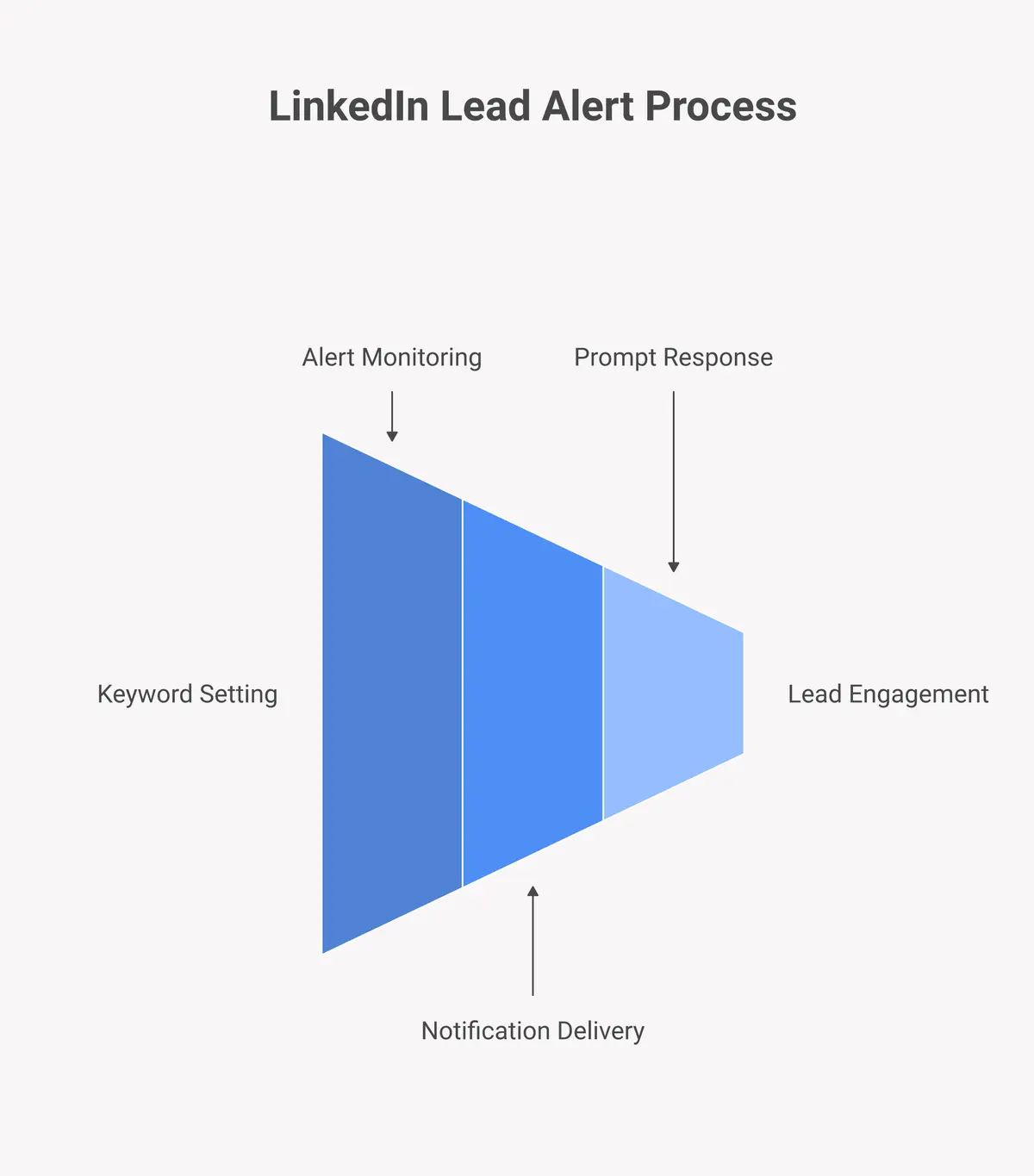
LinkedIn lead generation alerts notify you in real time when a post matching your keyword criteria appears on LinkedIn. You get the alert, you read the post, you respond. No manual scrolling, no expensive Sales Navigator subscription required.
The problem with Sales Navigator for organic post monitoring
LinkedIn Sales Navigator starts at $99 per month per seat. It is a powerful prospecting tool, but it is built for outbound. You search for profiles, build lists, and send InMails to people who have not asked for your help. It does not monitor organic posts in real time. If someone posts "looking for a tool like yours," Sales Navigator will not alert you. You would have to manually search for that post and hope LinkedIn's search surfaces it.
That is not a workflow. That is wishful thinking.
How Hot Lead Alerts handles LinkedIn monitoring
Hot Lead Alerts monitors LinkedIn continuously for keywords you define. When a post matches, you get an alert with the post content, the author's profile, and a direct link. You respond immediately, while the post is still fresh and the buyer is still engaged.
The process has three steps:
- Step 1 - Set keywords: Enter the phrases your buyers use when they need what you sell.
- Step 2 - Get alerts: Receive real-time notifications when matching posts appear on LinkedIn.
- Step 3 - Respond: Reply to the post with a genuinely helpful comment. The buyer is warm. The conversation starts naturally.
There is no monthly per-seat fee just for monitoring posts. You set it up once and linkedin keyword monitoring works continuously in the background. Create your free account and set your first keyword alert in under five minutes.
LinkedIn vs Cold Email: Why Monitoring Beats Cold Outreach for B2B
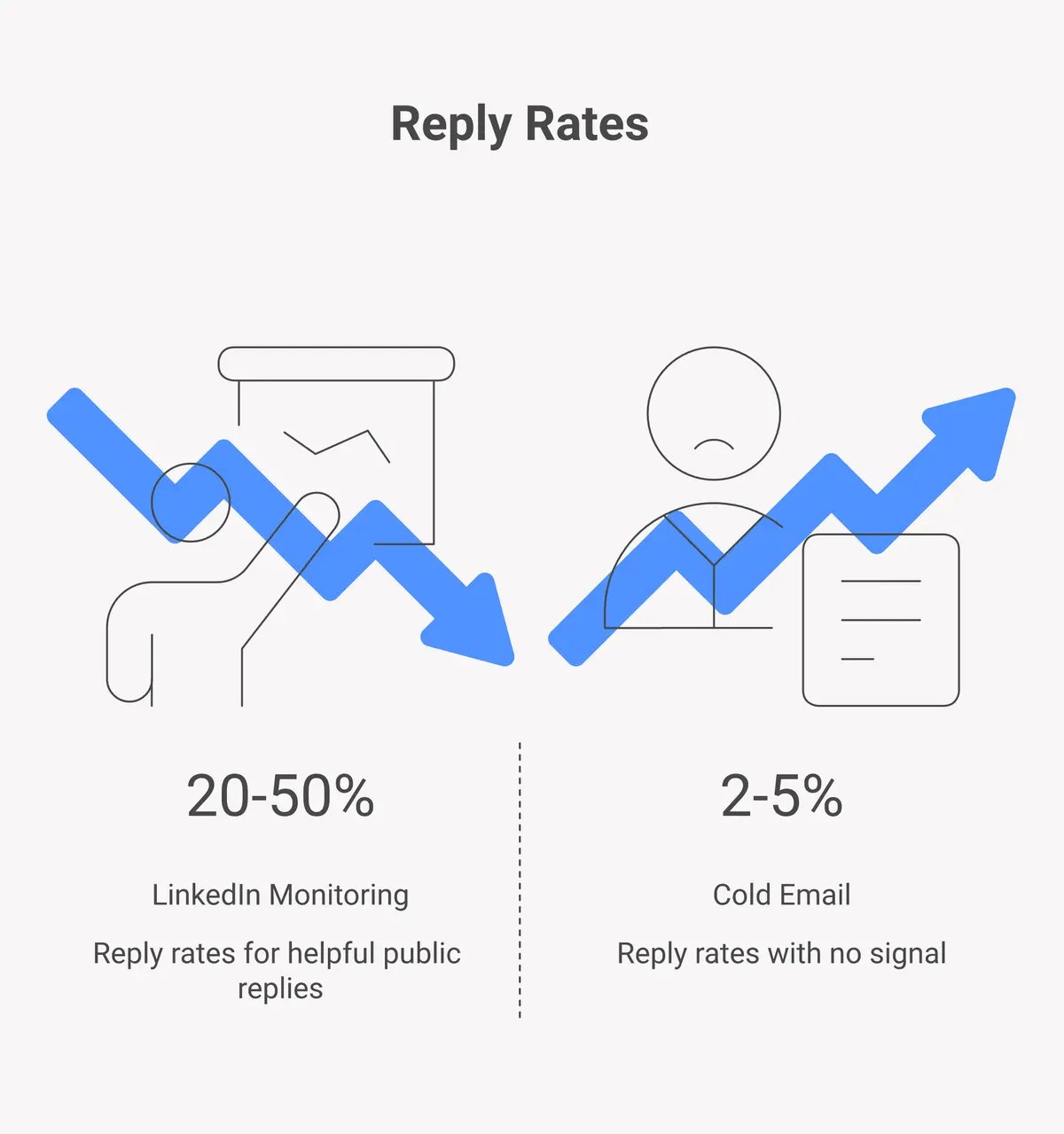
Cold email is not dead, but its signal-to-noise ratio is terrible. Average cold email open rates hover around 20 to 25 percent, and reply rates are often below 5 percent. You are interrupting people who did not ask for your help, and most of them know it.
LinkedIn monitoring for b2b lead generation flips the script. You are not interrupting anyone. You are responding to a request. The buyer posted publicly asking for help. You are providing it. That is the entire difference in terms of tone, trust, and conversion.
Here is a direct comparison:
| Factor | Cold Email | LinkedIn Monitoring |
|---|---|---|
| Buyer intent | Cold, no signal | Warm, buyer posted a need |
| Reply rate | 2-5% | Much higher for public replies |
| Spam risk | High (inbox filters, unsubscribes) | None (public reply) |
| Cost per lead | Tool + data + time | Alert subscription only |
| LinkedIn Ads equivalent | N/A | $40+ per lead on LinkedIn Ads |
LinkedIn advertising is expensive. LinkedIn Ads in B2B categories typically cost $40 to $70 per click. When you catch a warm lead through organic post monitoring, you are getting the same quality lead for a fraction of the cost. That is why linkedin lead generation alerts pay for themselves quickly for most B2B sellers.
LinkedIn Lead Generation for SaaS, Consultants, and Agencies
B2b lead generation on LinkedIn looks different from cold outreach. The keywords change by industry, but the process is the same: monitor for buying intent, respond fast, and be genuinely helpful.
SaaS founders and product teams
SaaS founders use linkedin lead monitoring to catch posts from buyers comparing tools. The best signals are frustration posts about competitors and explicit tool-request posts. A buyer who posts "we are leaving after two years, looking for something better" is almost certainly ready to buy. You respond with a short, empathetic comment explaining how your product solves the problem they mentioned. No pitch. Just relevance.
B2B consultants and freelancers
Consultants often miss LinkedIn leads because they do not monitor for service-based buying signals. Posts like "we need help cleaning up our data pipeline before Q3" or "looking for a fractional CMO, anyone have recommendations?" are direct business opportunities. These posts get 5 to 10 comments at most. Being one of the first to reply with a useful answer puts you in the shortlist immediately.
Agencies targeting enterprise and mid-market
Agencies benefit most from monitoring role-based signals. When a new Head of Growth or VP of Marketing joins a company, they often post about it and mention what they are looking for. These are high-value prospects at the exact moment they have budget authority and a mandate to improve things. Responding within 30 minutes of that post goes a long way toward getting on their radar.
If you are also finding leads on other platforms, check out our guides on Reddit lead generation and Facebook Groups lead monitoring to build a multi-platform pipeline.
How to Respond to LinkedIn Leads (Template + Timing Guide)
Getting the alert is step one. Responding well is what turns it into revenue. The rules are simple: be fast, be helpful, and lead with value before you mention your product.
The timing window
LinkedIn posts get the most engagement in the first two hours after publishing. According to Sprout Social's LinkedIn research, posts published Tuesday through Thursday between 10am and noon get the highest reach. If you respond within that window, the author and their connections are most likely to see your reply.
The practical rule: respond within 60 minutes of the alert. If you respond two days later, the post is buried and the buyer may have already made a decision.
Response templates that work
Here are three response frameworks for different post types:
For recommendation requests:
"Hi , we built specifically for this. It handles . Happy to send you a quick demo or answer any questions in the comments if that is easier."
For frustration posts about a competitor:
"We hear this a lot about . The main thing people switch for is . handles it differently because . If you want to compare options, I am happy to help."
For general advice requests:
"A few things worth considering for : . If you want a tool that handles the whole workflow, is worth a look."
What not to do
Do not paste a pitch. Do not add a link to your homepage as your first word. Do not say "Great question!" before you answer it. Buyers on LinkedIn have seen every sales script. The responses that convert are the ones that feel like a real person shared something genuinely useful.
Start building your linkedin keyword monitoring setup today. Get started with Hot Lead Alerts and set up your first LinkedIn keyword in minutes. Your next B2B lead is posting right now. You just need to be there when it happens.
You can also learn more about building a full multi-platform setup on our social listening for lead generation guide. Or check the pricing page to see which plan fits your workflow.
Frequently Asked Questions
Does Hot Lead Alerts work differently from LinkedIn Sales Navigator?
Sales Navigator is an outbound tool. It helps you search for profiles and send InMails to people you target. Hot Lead Alerts is an inbound monitoring tool. It watches for posts where buyers are already asking for help, then alerts you so you can respond. They solve different problems. Sales Navigator costs $99 per month per seat and still does not alert you to organic buying-intent posts.
What is linkedin monitoring for sales and how does it work?
LinkedIn monitoring for sales means tracking LinkedIn posts in real time for keywords related to your product or service. When a buyer posts "looking for a project management tool for my team," your alert fires and you respond directly. Hot Lead Alerts handles the monitoring automatically. You set your keywords once, and the alerts come to you.
How much does a LinkedIn lead cost compared to LinkedIn Ads?
LinkedIn Ads in B2B categories typically cost $40 to $70 per click. A single converted lead can cost hundreds of dollars through paid channels. Organic monitoring via Hot Lead Alerts captures the same warm, buying-intent audience for a fraction of the cost. You are responding to people who already want a solution, not paying to interrupt people who do not.
Can small businesses and solopreneurs use LinkedIn lead monitoring?
Absolutely. LinkedIn lead alerts are especially valuable for solo consultants, freelancers, and small SaaS teams because every lead matters more when you do not have a large sales team. You do not need a CRM or a sales ops workflow. You just need the alert and a thoughtful reply. The barrier to starting is low and the quality of leads is high.
Which keywords should I monitor on LinkedIn to find leads?
Start with phrases that match how your buyers describe problems: "looking for a tool," "recommend a ," "alternative to ," and "switching from ." Add role-based triggers like "new role" combined with your category. Track 5 to 10 keywords first, then expand based on which ones produce the most relevant posts. Our social listening for leads guide has a full keyword framework you can follow.